

Microsoft 365 Copilot for business
organisations
invoice









Copilot Chat or Microsoft 365 Copilot: which should you choose?
Copilot Chat is included in many Microsoft 365 subscriptions. Microsoft 365 Copilot is an add-on licence that works directly in your apps and on your work data.
Copilot Chat
The secure chat assistant, included in many Microsoft 365 subscriptions.
- Conversations protected by your work account
- Drafting, summarising and analysing the documents you upload
- Simple agents, depending on your organisation's setup
- Ideal for getting every team familiar with AI before going further
Microsoft 365 Copilot
An add-on licence, per user, that draws on your emails, files and meetings, within each person's access rights.
- Copilot in Word, Excel, PowerPoint, Outlook and Teams
- Answers grounded in your work data
- Teams meeting notes and summaries
- Agents and connectors to your other tools
- A Business version for organisations with fewer than 300 users
Your Copilot rollout, end to end
Copilot only adds value if the right people use it, on well-organised data. We prepare the ground, then support adoption.
Choosing the licences
Who needs Microsoft 365 Copilot and who can start with Copilot Chat: we size it as tightly as possible, team by team.
Access rights checked
Copilot sees everything the user can see. We find overly broad sharing in SharePoint, OneDrive and Teams before activation.
Setup and governance
Usage rules, approved agents, privacy settings: Copilot is configured to your internal rules and the GDPR.
Support for your users
A locked account, a feature to switch on, a question on how to use it: your people have a contact who knows your environment.
Adoption tracking
We track real Copilot usage month after month to reassign unused licences and target the teams that need support.
Training for your teams
Our trainers show each team how to use Copilot in Word, Excel, Outlook and Teams, at your offices.
Manage Copilot and your AI tools from a single cockpit
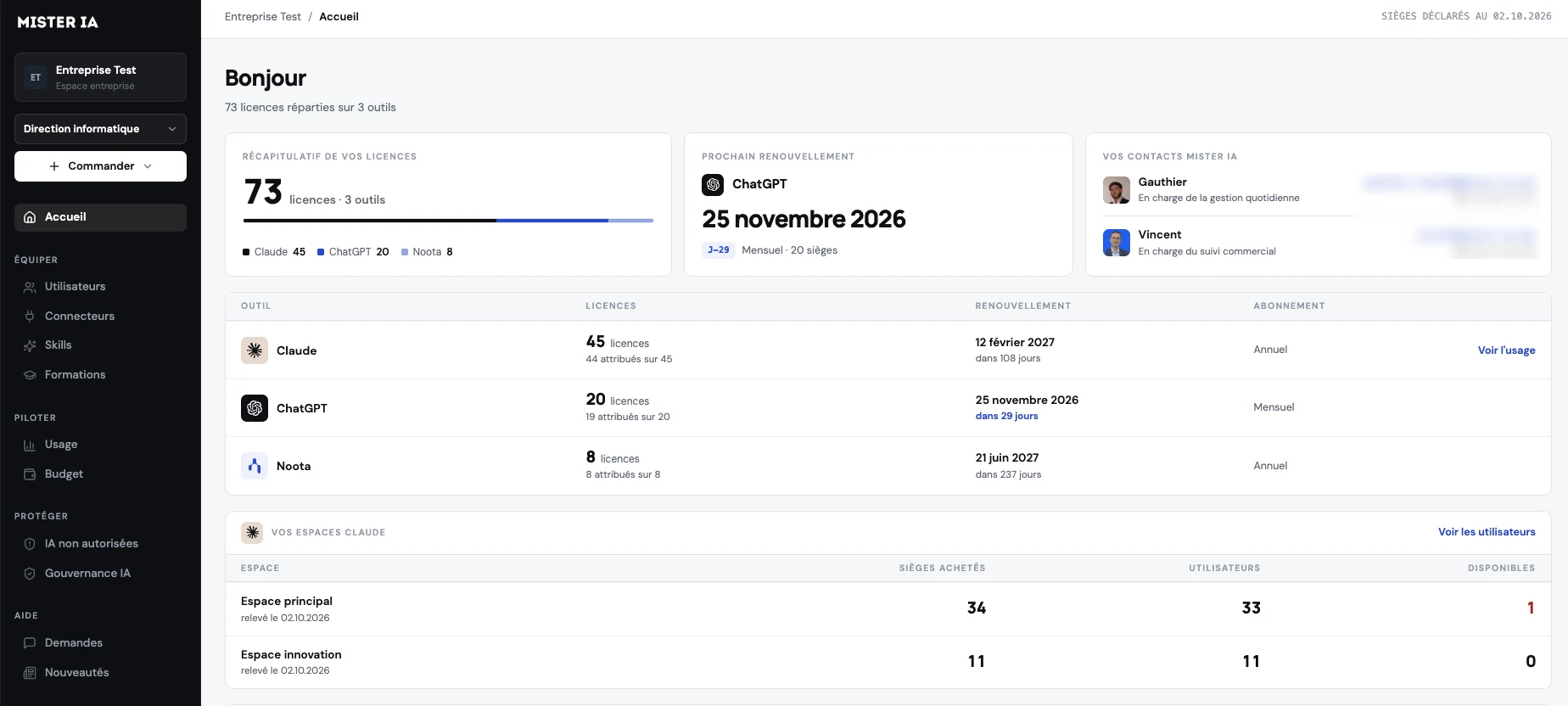
Every organisation that trusts us with its licences gets access to its Mister AI cockpit. All your AI licences are in one place: who uses them, how they are used, which tools the AI can access, and your support requests.
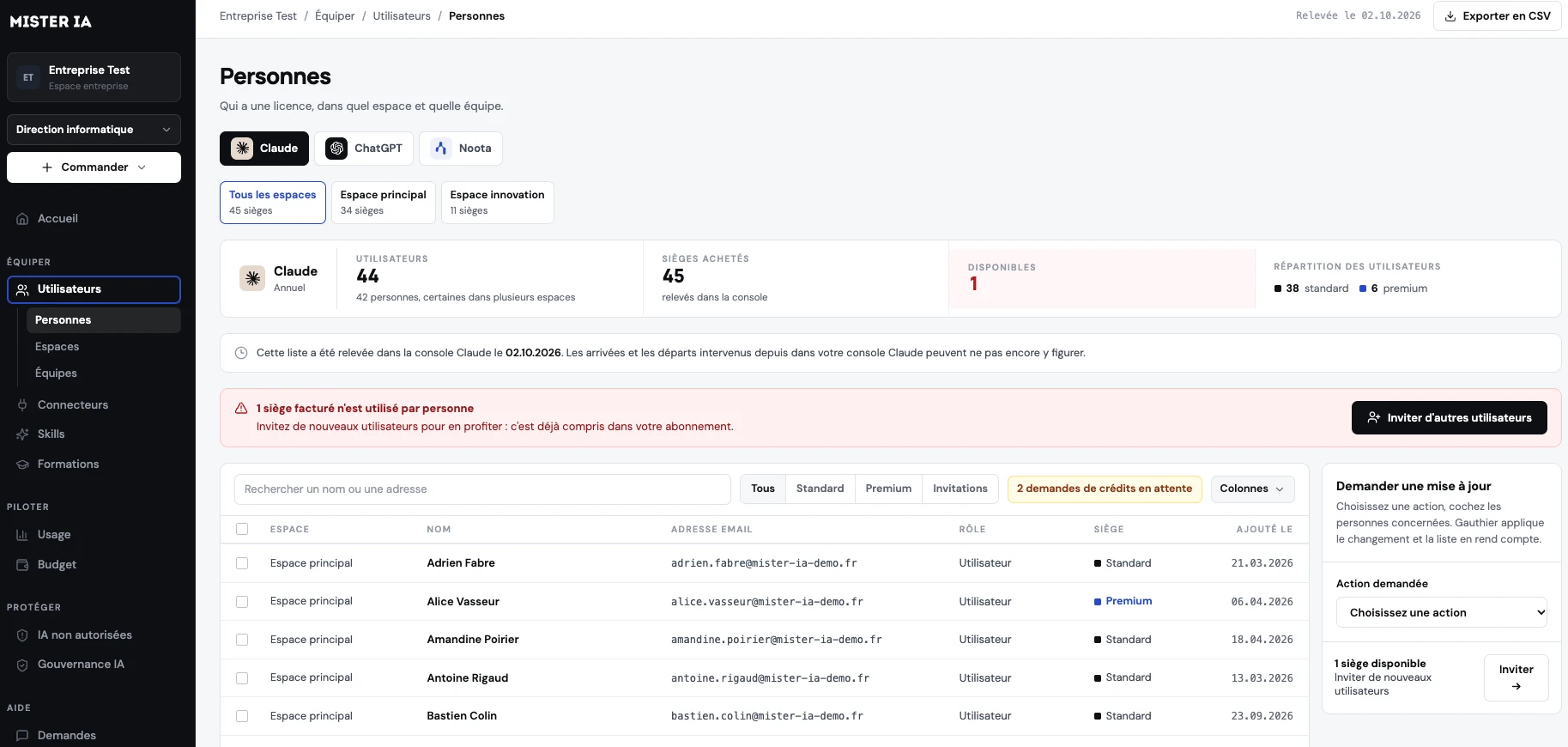
Users and seats
Who has a licence, in which workspace and which team. A seat that is paid for but unused is flagged straight away.
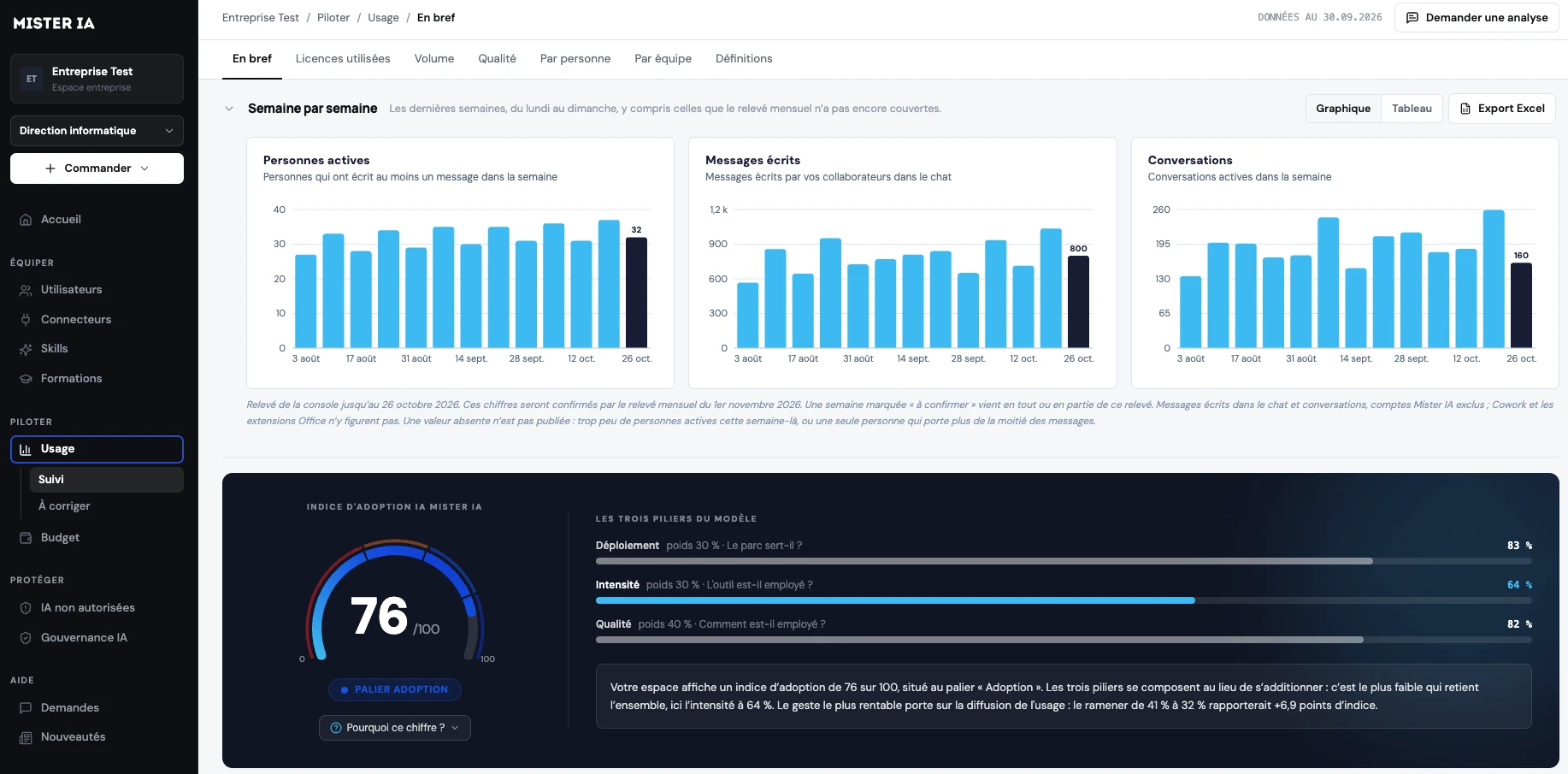
Usage and adoption
Active people, messages and conversations week by week, and an adoption score out of 100 to see where to act.
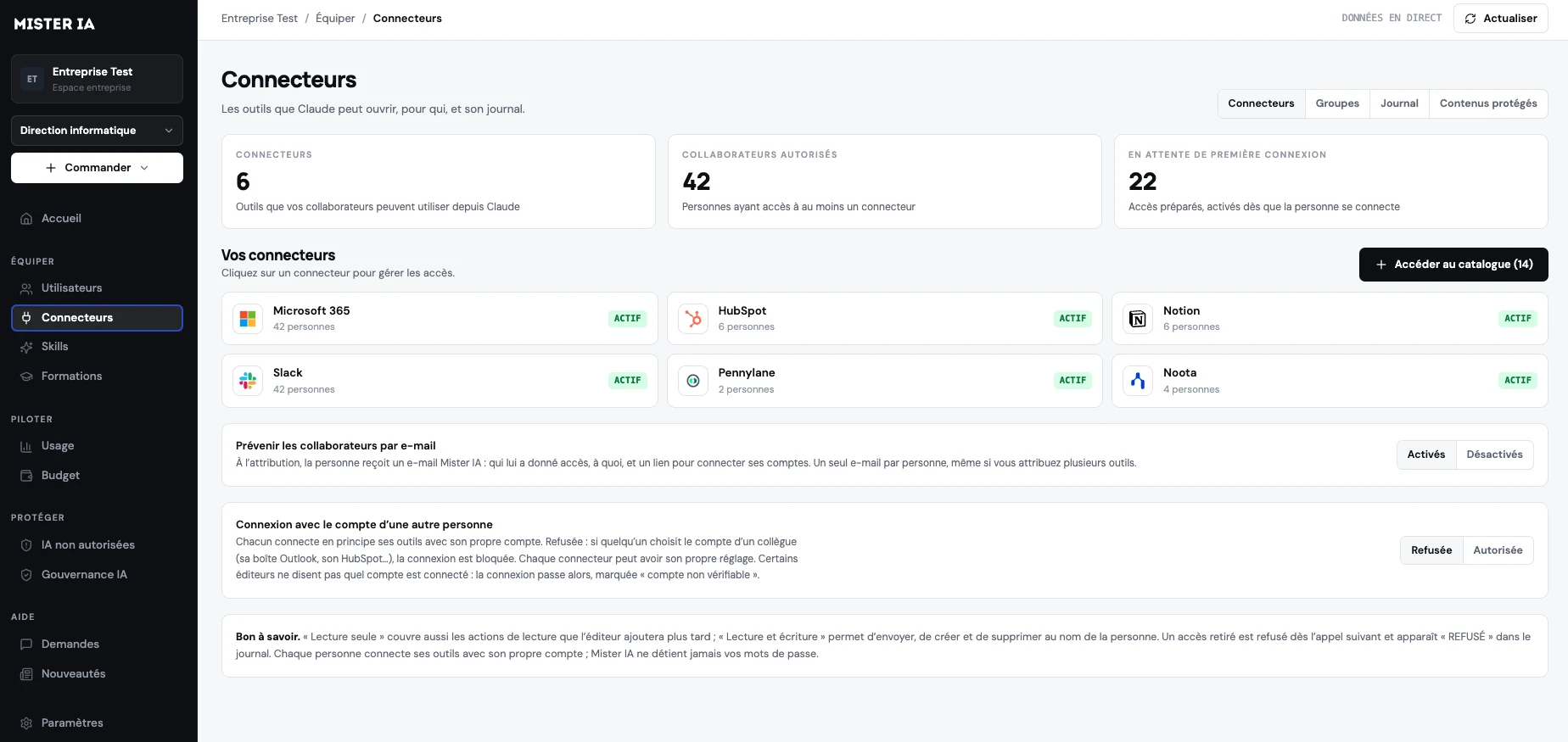
Connectors and access
The MCP connectors the AI can access (Microsoft 365, HubSpot, Slack and more), who is allowed to use them, and the access log.
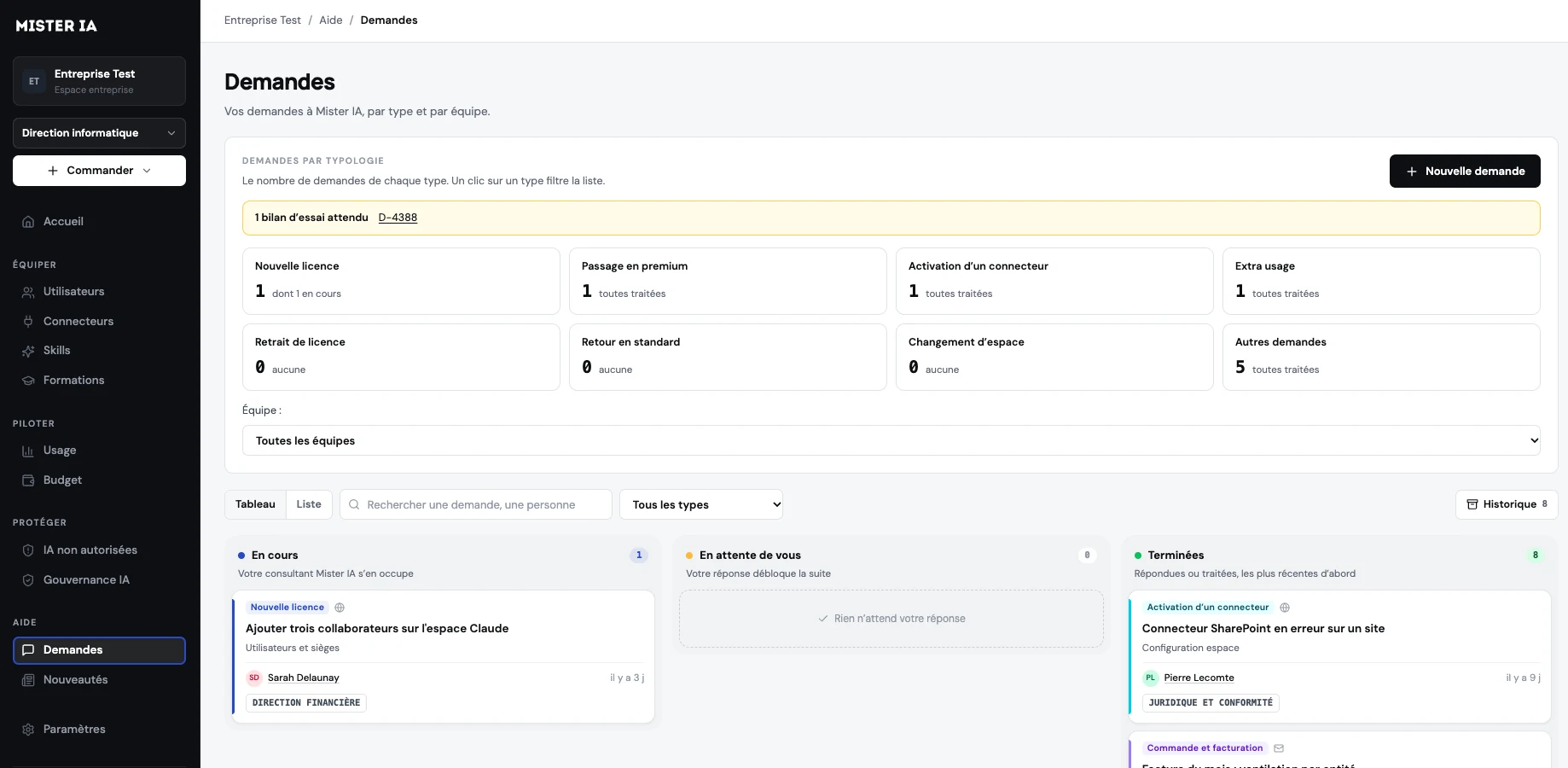
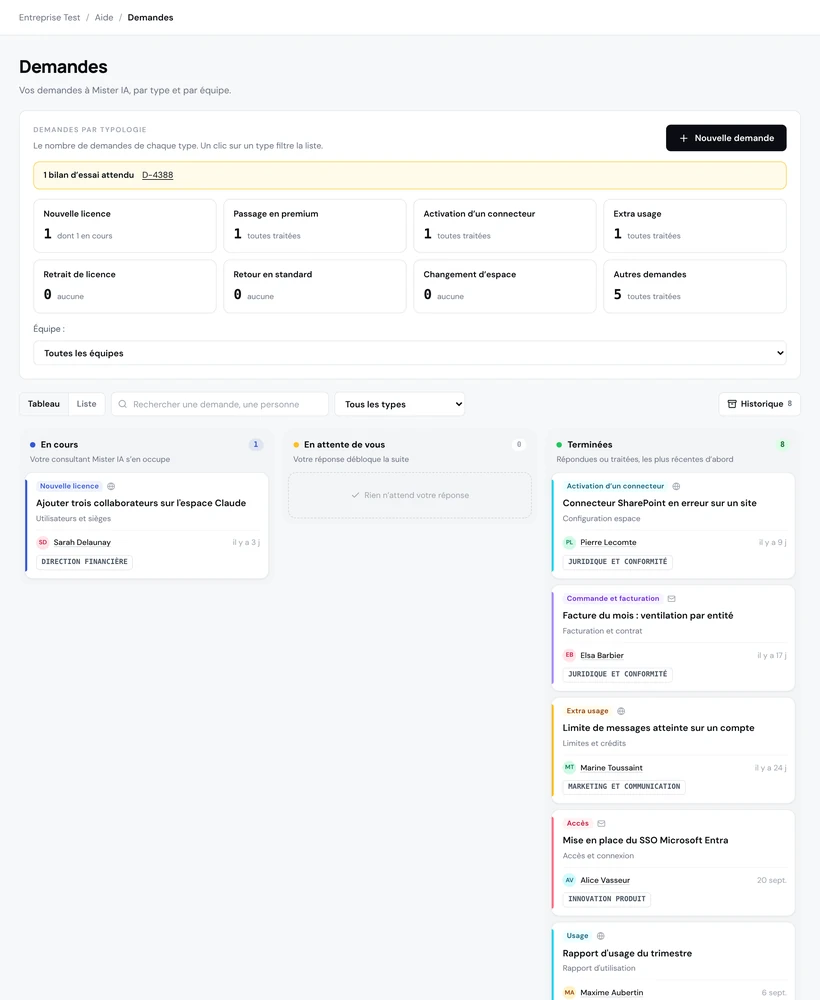
Support and requests
A new licence, an upgrade to premium, a connector to switch on: every request is followed by your consultant until it is closed.
Rolling out Copilot

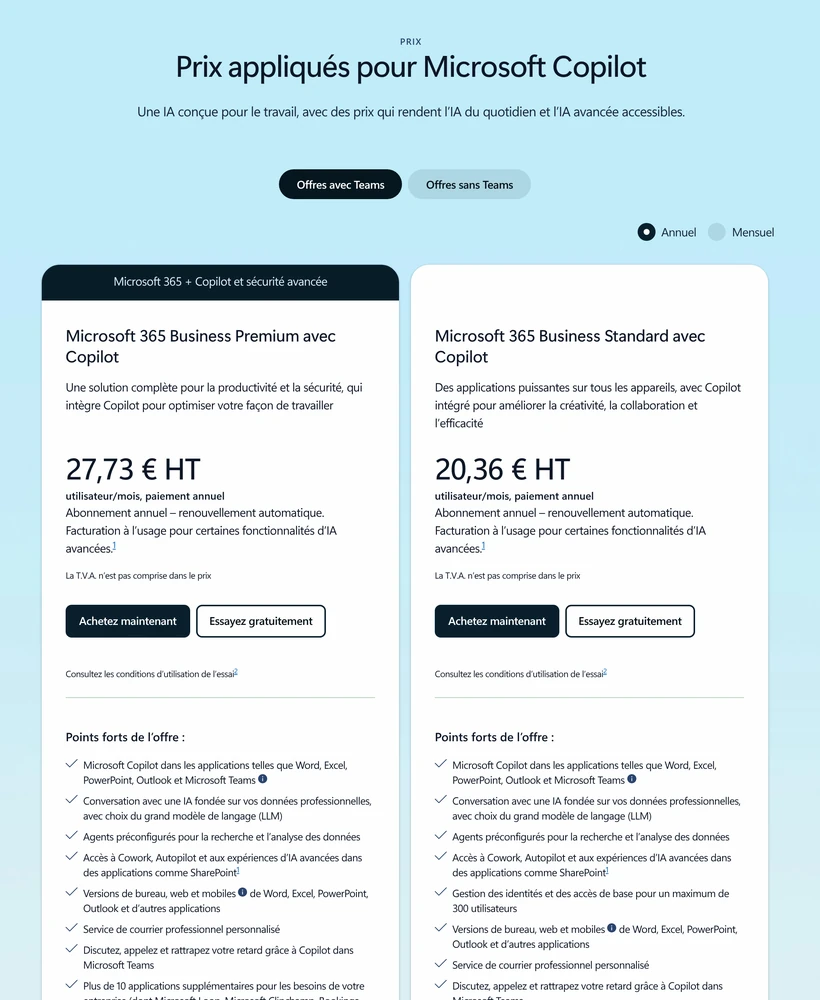




Choosing the licences
A conversation to identify who needs Microsoft 365 Copilot and who can start with Copilot Chat, without overbuying.
Access rights audit
We check SharePoint, OneDrive and Teams sharing so that Copilot does not surface documents it should not.
Secure setup
Usage rules, approved agents, privacy settings: Copilot is configured to your internal rules and the GDPR.
Team training
A one-day Copilot training session at your offices so everyone leaves with their first use cases, from €1,800 excl. VAT per day.
Usage tracking and support
We track adoption month after month, answer your users and reassign unused licences.
How much does a Copilot rollout with Mister AI cost?
Microsoft 365 Copilot licences are part of your Microsoft agreement. Our support is priced to your scope, and training for your teams has a price you know upfront.
per day, at your offices, for a group of up to 15 people, in English or French.
depending on the number of users, the state of your access rights and the level of support you want.
Frequently
asked questions
What is the difference between Copilot Chat and Microsoft 365 Copilot?

Copilot Chat is the chat assistant included in many Microsoft 365 subscriptions. Microsoft 365 Copilot is an add-on licence: it works directly in Word, Excel, PowerPoint, Outlook and Teams and draws on your work data (emails, files, meetings), within each person's access rights.
How much does Microsoft 365 Copilot cost for a business?
Licence prices depend on your Microsoft agreement and the number of users; Microsoft also offers a Business version for organisations with fewer than 300 users. Mister AI's support is priced on quote, and training for your teams starts at €1,800 excl. VAT per day.
Should every employee get Microsoft 365 Copilot?
No. Many organisations start with Copilot Chat for everyone and keep full licences for the teams that work heavily in Word, Excel, Outlook or Teams. We help you size it as tightly as possible, then reassign little-used licences.
Why check access rights before switching on Copilot?
Copilot respects existing rights: each person only reaches the documents they can already open. But if folders are shared too widely in SharePoint, OneDrive or Teams, Copilot will surface them far more easily. We find and fix that sharing before activation.
Is our data safe with Copilot?
Microsoft 365 Copilot runs within your Microsoft 365 environment and respects existing access rights. Microsoft states that it does not use your business data to train its foundation models. We add clear usage rules and a setup suited to your organisation.
Do we need a Microsoft 365 subscription to use Copilot?
Yes. Microsoft 365 Copilot is added on top of an eligible Microsoft 365 subscription. We check with you that your current licences are eligible and that your environment is set up before the rollout.
How do we measure Copilot adoption?
Microsoft provides usage reports in the admin centre. We analyse them with you month after month to reassign unused licences, spot the teams that need support and measure the habits that take hold.
Do our teams need training on Copilot?
That is what makes the difference between licences you pay for and licences people use. Our Copilot training sessions take place at your offices, app by app and built around each team's use cases, from €1,800 excl. VAT per day, in English or French.
What is the Mister AI cockpit?
It is the online space every organisation that trusts us with its licences can access. It brings together all your AI licences, Copilot and your other tools alike: who has a licence and in which team, week-by-week usage with an adoption score, the connectors the AI can access, renewal dates, and your support requests, followed by your Mister AI consultant.


