



Claude training
for business
Writing, document analysis, Projects, Skills and MCP connectors: in-person training at your offices so your teams use Claude on their real tasks, safely.









What is Mister AI's Claude training?
Mister AI's Claude training is an in-company course, delivered in person at your offices by a senior trainer, for a group of up to 15 people.
It comes in two one-day levels of 7 hours: Booster for the basics, then Performer for advanced use, from €1,800 excl. VAT per day per group.
What your teams will learn


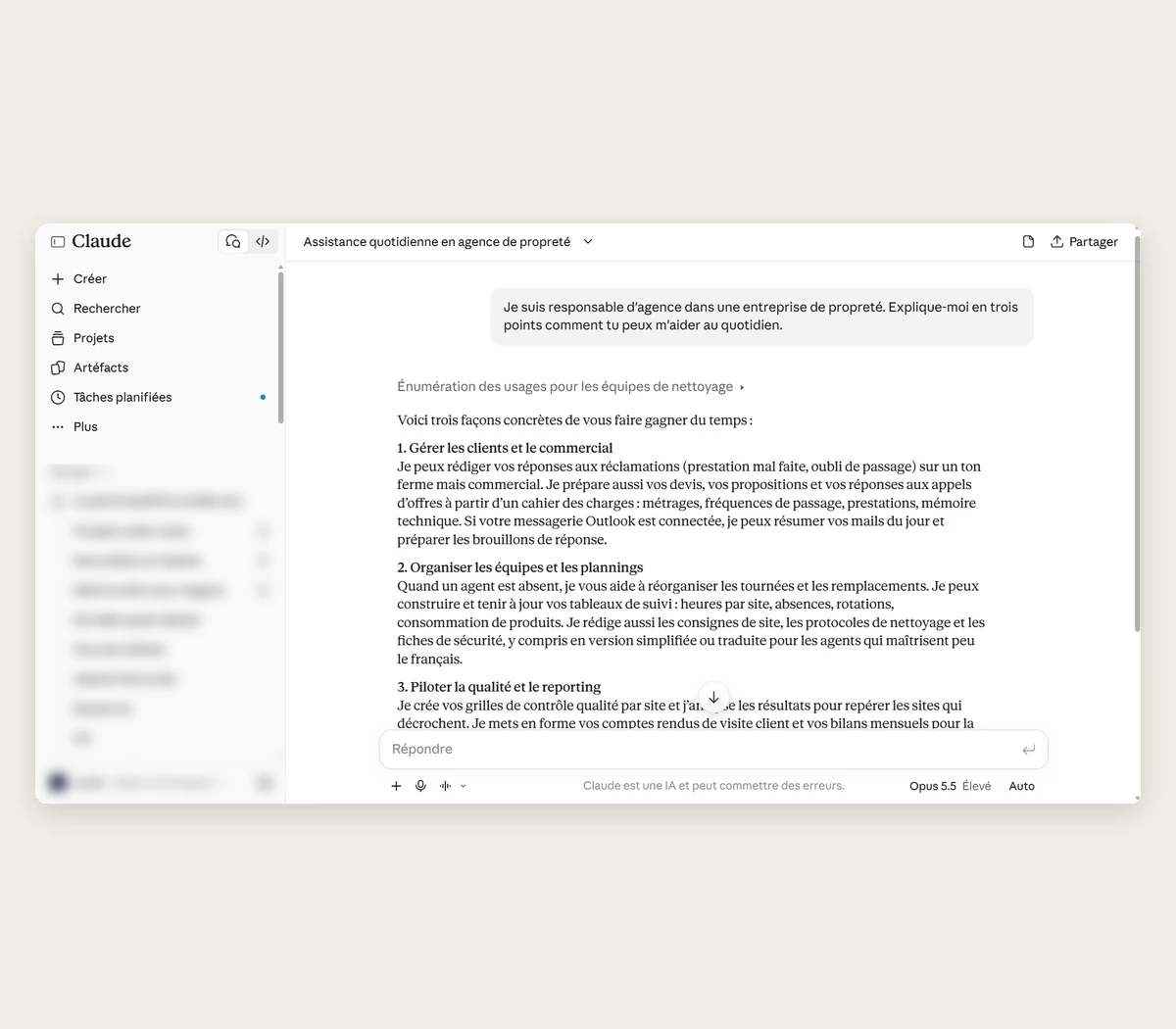
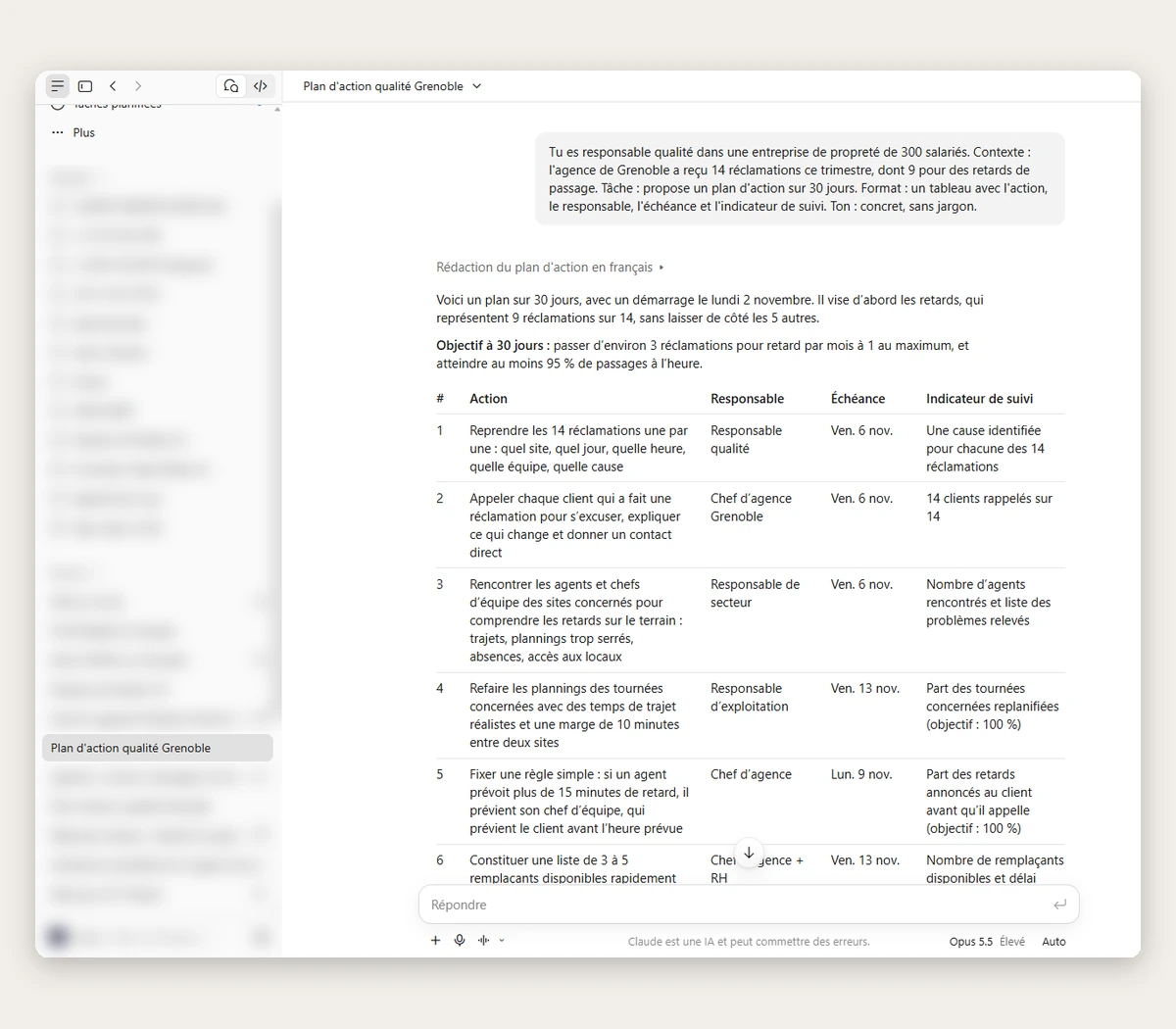
What your teams will be able to do with Claude after the training
Claude does not replace your people's work: it produces a first draft that they review and adjust. The training focuses on uses with an immediate payoff.
Which tasks could your teams hand over to Claude?
A consultant works with you to identify the highest-value uses, team by team, before building the programme.
Level 1 programme: Claude Booster, the basics
Getting started with Claude
9:00 – Round table: how the team uses AI today and the goals for the day.
9:20 – Claude overview: what it can do, its models, its limits and what sets it apart from other AI tools on the market.
9:50 – Getting started: conversations, uploading files and the key settings of the company licence.
10:15 – The ground rules: privacy, sensitive data and good practice.
Writing good requests
10:30 – What makes a good request: context, role, examples and expected format.
11:00 – Workshop: rewrite three real requests from the team together and compare the results.
11:45 – Iterate, review and check: get reliable answers, in your organisation's tone.
12:15 – Build your library of standard requests for everyday use.
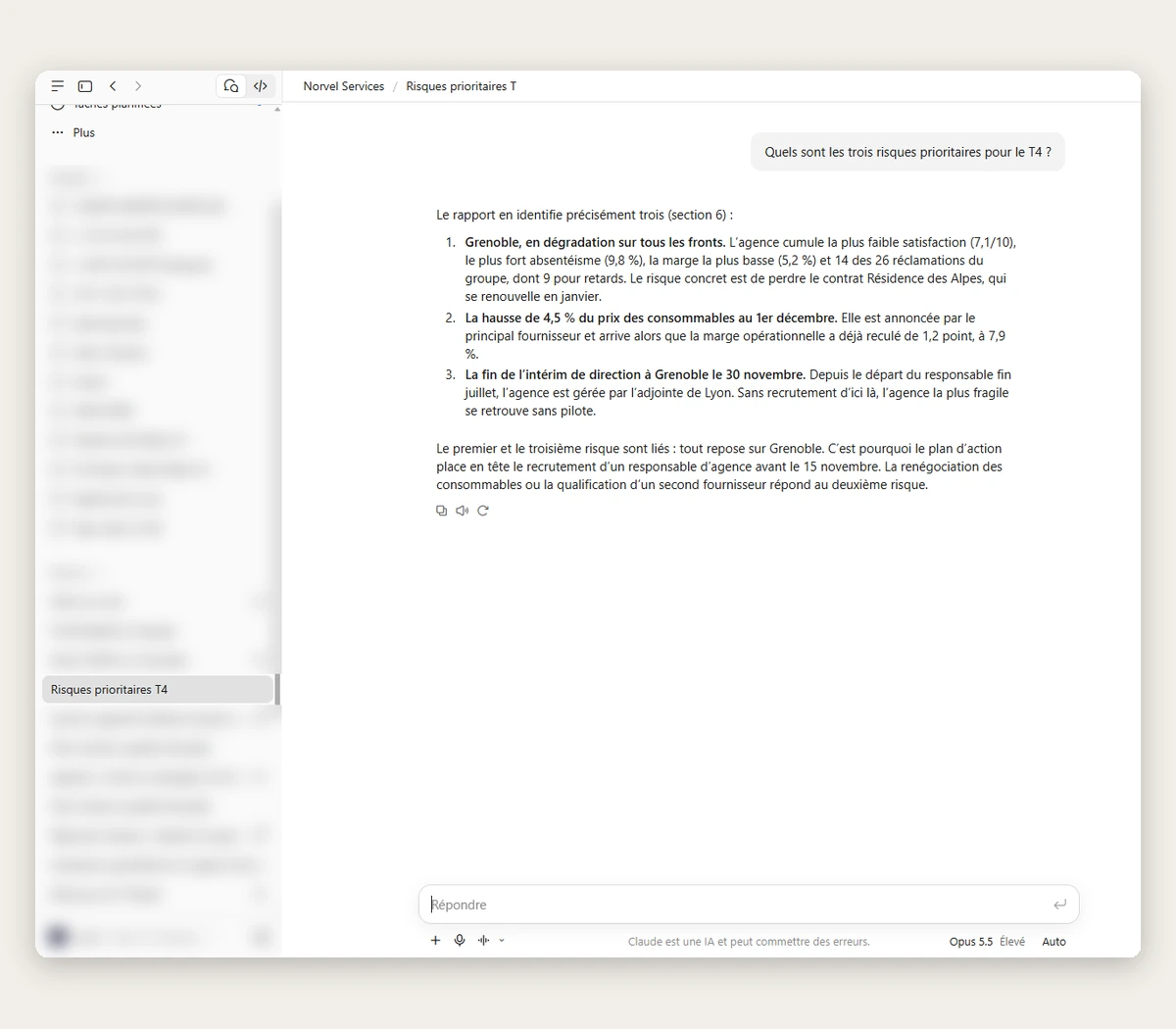
Claude's key features
14:00 – Long documents: analyse and summarise reports, contracts and minutes, compare several versions of the same document.
14:40 – Creating with Claude: content, tables and artifacts (documents, visuals, small tools).
15:10 – Teamwork with Projects: shared instructions and reference documents.
15:35 – Skills and MCP connectors: standardise recurring deliverables and connect Claude to your tools (email, documents, CRM), depending on your licence.
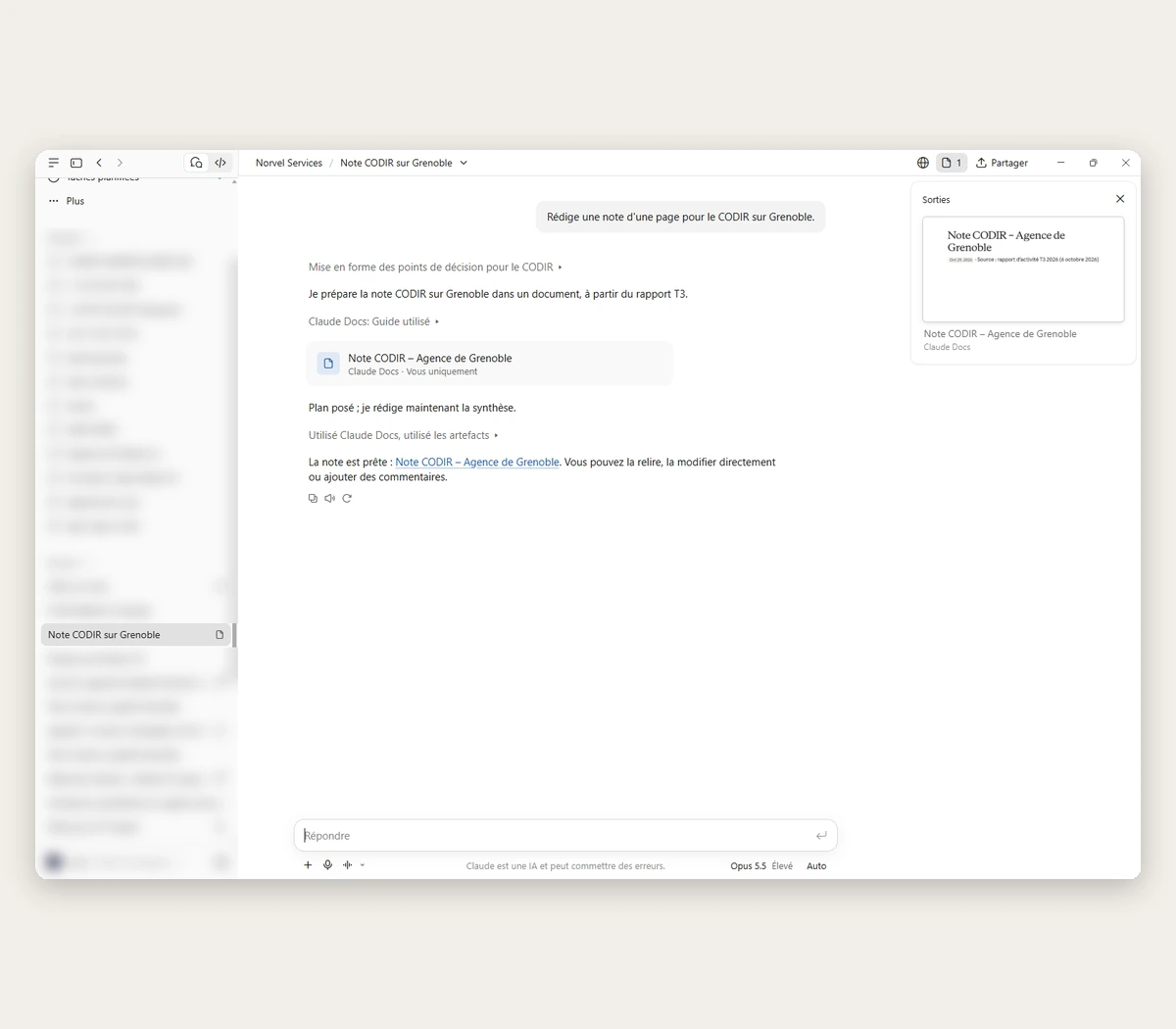
Use cases in your company
16:00 – Workshop by role: each participant works on a real everyday task with Claude, supported by the trainer.
16:50 – Debrief: the group shares the best uses it found and the points to watch.
17:15 – Personal action plan: three uses to put in place the very next day, and feedback on the day.
Level 2 programme: Claude Performer, advanced level
Level 2 follows level 1. Like the first, it has four sessions, and the last one always focuses on your company's business use cases.
Included in your Claude training
A self-assessment questionnaire before the training, to match the level to the group.
An end-of-day quiz to check what has been learned.
The training materials, sent after the session.
A ready-to-use bank of reusable prompts.
Our results
in figures
Updated: October 2026
Updated: September 2026
Updated: September 2026
Everything you need to know



Claude, as seen by our training participants
Excerpts from the satisfaction surveys filled in at the end of our sessions by participants talking about Claude (translated from French).
“ Very high-quality training: the content is clear, well structured and gives a solid grounding in AI and Claude. It really helps you understand the tool's potential and how to prompt. The hands-on workshops meant we could apply it straight away at work and identify concrete use cases. ”
“ Automating some of my projects, which genuinely saves me time, especially by connecting Claude to our Odoo database in read-only mode for analysis reports. ”
“ A lively trainer who explains things well. The theory stayed very interesting, even for people who already know a lot about AI. And the hands-on workshop helped us really get to grips with the tools and what Claude can do in our work environment. ”
“ I learned a lot, from the history of AI to building a PowerPoint with Claude. I really enjoyed it and I'll use it in my day-to-day work! ”
They roll out Claude with Mister AI
At the Centre Hospitalier de l'Estran, a French hospital with 850 staff, we activated and configured Claude licences to replace ad hoc use with a managed tool that meets health-data requirements: how the Centre Hospitalier de l'Estran governs AI. At the Communauté de Communes de l'Ouest Guyanais, 28 Claude Team licences are rolled out and managed by Mister AI.
Training is not always enough: roll out Claude at scale
Before the training, an AI audit identifies the highest-value use cases, role by role. Afterwards, our AI change management support makes new habits stick, and our consultants can build a custom AI tool on top of Claude.
Frequently
asked questions
Who is the Claude training for?

The Claude training is for professionals who want to use Claude in their daily work, with no technical prerequisites, whether they are new to the tool or already use it. Level 1 (Booster) covers the basics; level 2 (Performer) is for those who have completed level 1.
How much does Claude training cost for a business?
Our Claude training for businesses starts at €1,800 excl. VAT per day, for a group of up to 15 people, at your offices. The final price depends on the number of sessions and how much tailoring you need: we send you a quote after a scoping call.
How long does Claude training last?
Each level lasts one 7-hour day, for a group of up to 15 people. Level 1, Booster, covers the basics with no prerequisites; level 2, Performer, follows level 1 and moves on to advanced prompting, Cowork, Skills and connectors.
Can the Claude training be funded?
Mister IA Entreprise is a Qualiopi-certified training provider: in France, the training can be funded by your OPCO, depending on your rights and your sector's rules. Elsewhere, we provide the documents your training budget or funding scheme requires (programme, quote, training agreement).
Do you need a Claude licence to take the training?
It is recommended. Practising in your company's Claude environment (Team or Enterprise plan) means people leave with uses they can apply straight away and the right privacy settings. If you are not equipped yet, Mister AI helps you choose, buy and set up your Claude licences.
What is the difference between Claude, ChatGPT and Copilot?
They are three generative AI assistants with similar uses. Claude, made by Anthropic, is especially valued for writing, analysing long documents and teamwork with Projects. ChatGPT (OpenAI) and Copilot (Microsoft, built into Microsoft 365) each have their own strengths. We train on all three and help you choose the one that best fits your teams. Privacy often weighs in the decision: we can walk you through the options during the scoping call.
Is our data safe with Claude?
With Claude's business plans (Team and Enterprise), Anthropic states that it does not use your conversations to train its models by default. The training spends time on good practice: what can and cannot be shared, workspace settings, and how this fits with your internal security rules.
What are Claude's Skills and the MCP protocol?
Skills are instructions and resources that Claude uses to carry out a specific task the same way every time, for example producing a report in your company's format. The MCP protocol (Model Context Protocol), created by Anthropic, connects Claude to your tools (email, documents, CRM) so it can read from them or act in them. The training shows how to use them in practice, depending on the features available in your licence.
What are the prerequisites for the training?
No technical prerequisites. Each participant needs a computer with internet access and access to Claude; to work on business documents, we recommend your company's Claude Team or Enterprise plan. We adapt the pace to the group's starting level.
Can the Claude training be delivered remotely?
Our standard format is one in-person day at your offices, for a group of up to 15 people: it is the format that gets the best results. If your teams work across several sites, we look at a suitable format with you during the scoping call.
How do assessment and the end-of-training certificate work?
Each participant fills in a self-assessment questionnaire before the training, then takes a quiz at the end of the day to check what they have learned. After the training, they receive an individual training certificate.
What happens after the Claude training?
Each participant leaves with an action plan and their first use cases. To go further, Mister AI offers level 2 (Performer), AI change management support and AI licence management for your Claude licences.


